
Password-protected directories let you restrict access to specific folders on your website using HTTP authentication. When a visitor navigates to a protected directory, their browser immediately shows a login dialog asking for a username and password. Only users with the correct credentials can proceed. This is a quick, server-level security measure that requires no application code and works for any type of web content.
What Are Password-Protected Directories?
Apache's built-in authentication system (.htaccess + .htpasswd) powers directory protection. When you protect a directory in DirectAdmin, it automatically creates and manages these files for you. The browser displays a native authentication dialog that cannot be bypassed by simply guessing the URL — the server returns a 401 Unauthorized response until valid credentials are provided.
Common Use Cases
- Admin areas — add an extra authentication layer in front of WordPress
/wp-admin/or other backend interfaces - Private files — protect a folder containing confidential documents, contracts, or client deliverables
- Staging sites — prevent search engines and the public from accessing a development version of your site
- Team portals — share resources with a small team without building a full login system
- Beta access — give select users access to unreleased features or content before public launch
How to Set Up Password Protection in DirectAdmin
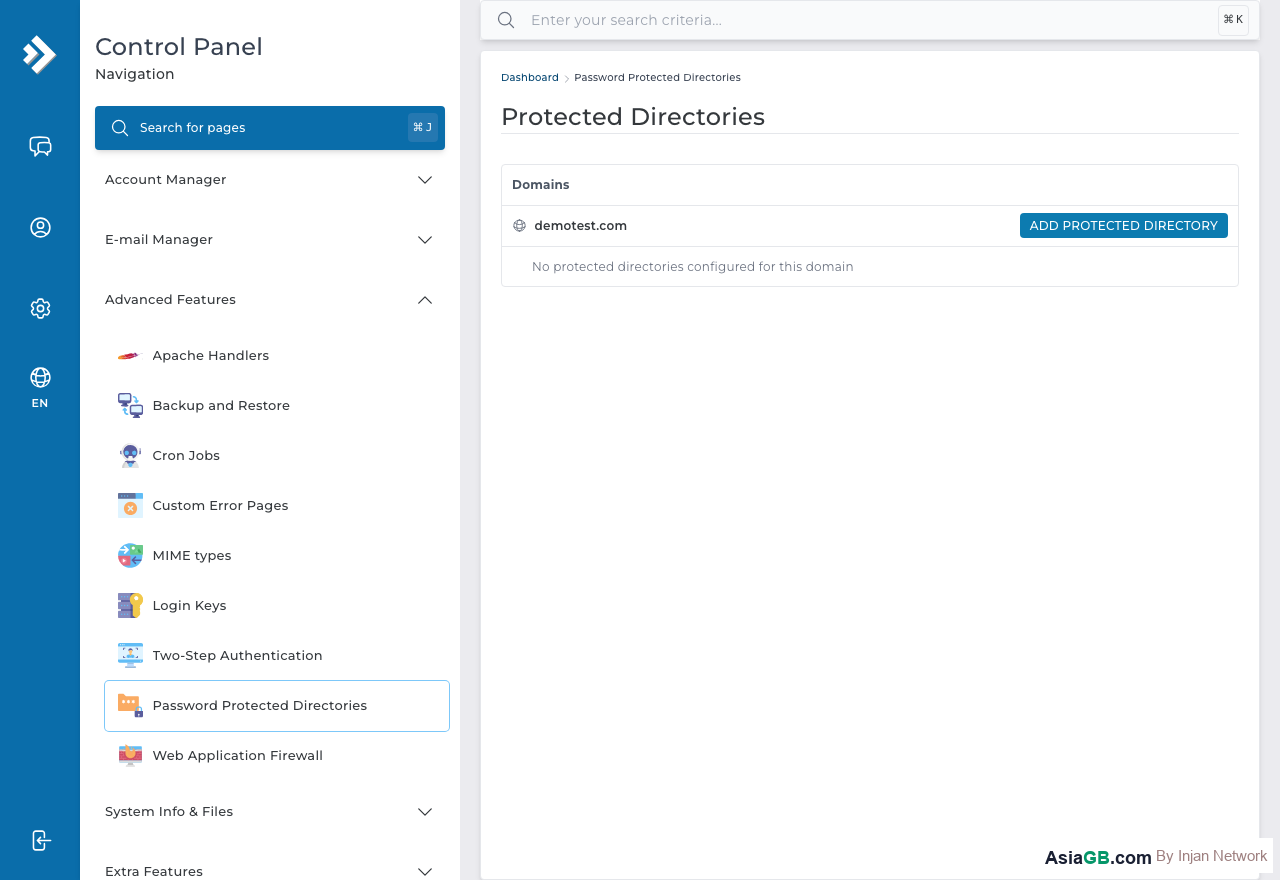
- Log in to DirectAdmin and navigate to Advanced Features.
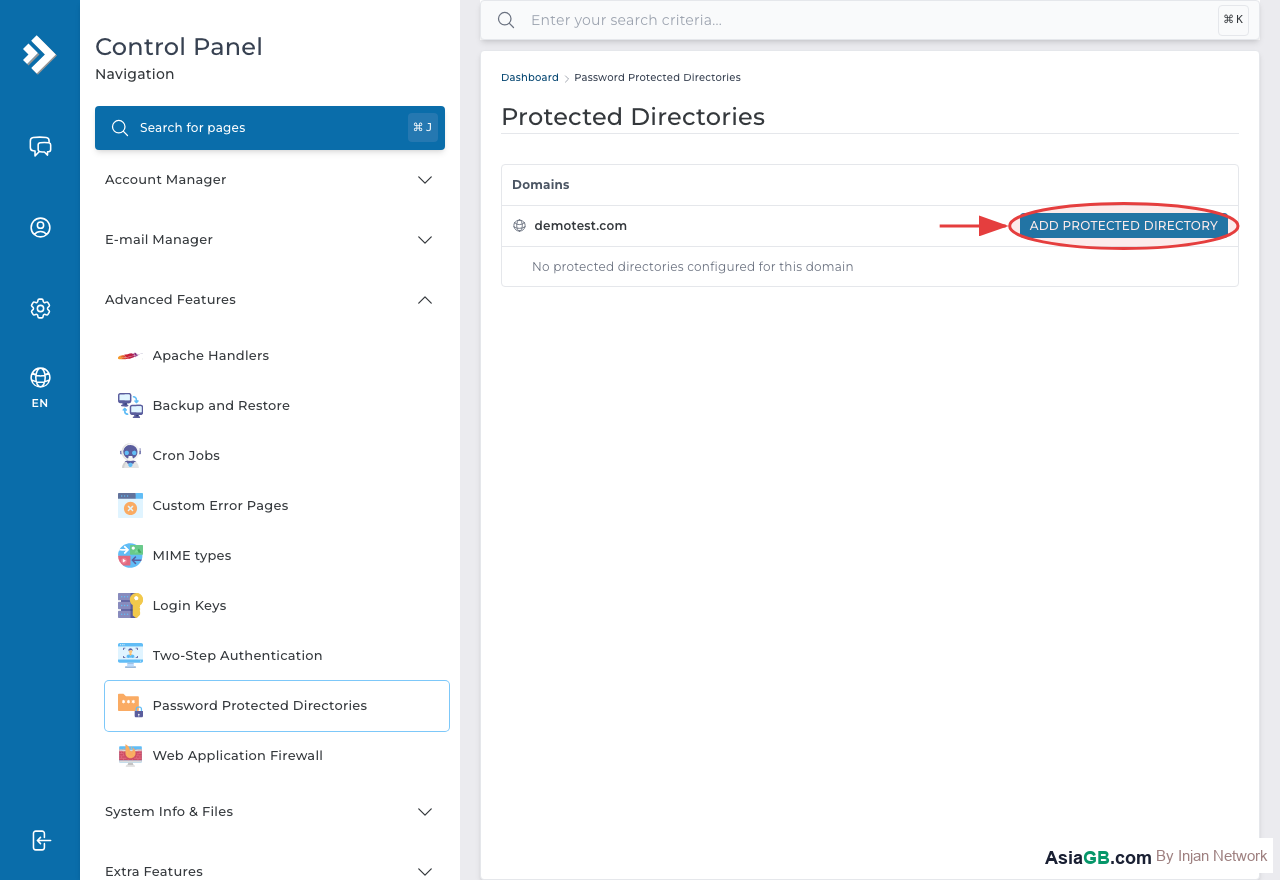
- Click on Password Protected Directories.
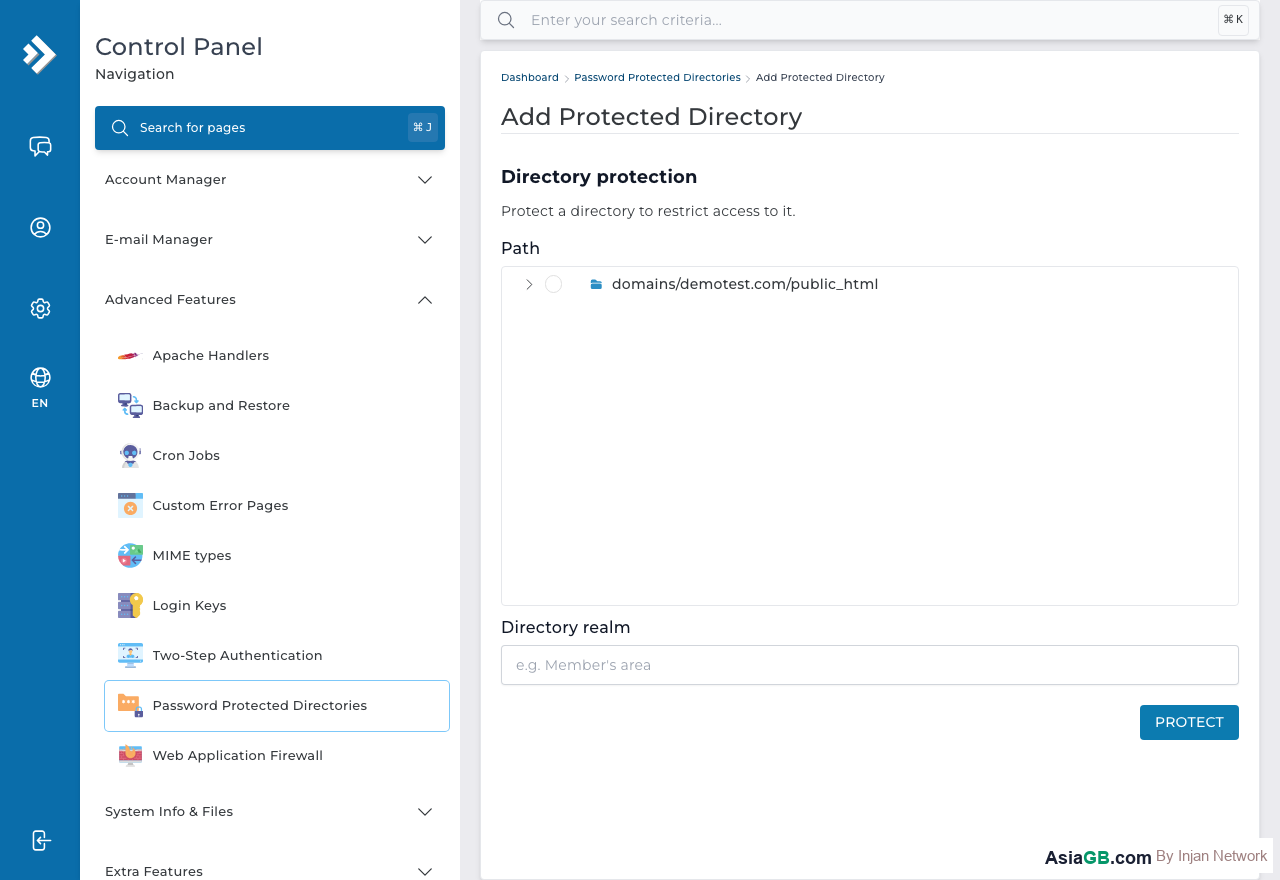
- You will see a file browser. Navigate to the folder you want to protect — for example,
public_html/staging. - Click on the folder name to select it, then click Protect this directory.
- Enter a name for the protected area in the Auth Name field — this text appears in the browser's login dialog (e.g., "Members Only" or "Staging Environment").
- Click Save to apply the protection.
Adding a Username and Password
After saving the protection settings, you need to add at least one user who can access the directory:
- Scroll down to the Users section on the same page.
- Enter a Username and Password for the authorized user.
- Click Add User.
- Repeat to add more users if needed.
To change a user's password, simply add the same username again with the new password — it will update automatically.
Multiple Users for One Directory
You can add any number of users to a single protected directory. Each user has their own username and password. This is useful for team environments where different people need access but you want to be able to revoke individual access without changing a shared password. Simply return to the directory protection settings and add or remove users as needed.
Removing Protection
To remove password protection from a directory, go to Password Protected Directories in DirectAdmin, select the protected folder, and click Unprotect This Directory. The authentication requirement will be removed immediately and the directory will be publicly accessible again.
Using .htaccess and .htpasswd Manually
For more control, you can set up directory protection manually using .htaccess and .htpasswd files. Add these directives to your .htaccess file in the directory you want to protect:
AuthType Basic
AuthName "Protected Area"
AuthUserFile /home/username/.htpasswd
Require valid-user
Create the .htpasswd file with hashed passwords using the htpasswd command or an online generator. The manual approach gives you more flexibility — for example, you can protect only specific file types within a directory while leaving others open.
Why SSL Is Required Before Using Password Protection
HTTP Basic Authentication transmits credentials as Base64-encoded text in the request header. Base64 is an encoding scheme, not encryption — anyone who intercepts the HTTP traffic can decode it in milliseconds using freely available tools. This means that if your site runs over plain HTTP, any person on the same network (such as a shared Wi-Fi at a coffee shop, hotel, or airport) could capture and read the username and password your team members type into the login dialog.
The solution is straightforward: install an SSL certificate first, so all communication happens over HTTPS. With TLS encryption in place, the entire HTTP exchange — including the Base64-encoded credentials — is wrapped in an encrypted tunnel before it leaves the browser. Even if someone intercepts the traffic, they see only ciphertext. On AsiaGB hosting, free SSL certificates are available for all domains through the SSL section of DirectAdmin, so there is no cost barrier to enabling HTTPS before applying password protection.
Limitations of HTTP Basic Authentication
Password-protected directories are a convenient, low-code security layer, but they have inherent limitations you should understand:
- No true logout: The browser caches credentials for the duration of the session. There is no logout button unless the browser tab or window is closed, which creates risk on shared computers.
- No brute-force protection: Apache does not rate-limit login attempts by default. A determined attacker can try thousands of password combinations automatically. For high-value areas, combine password protection with IP whitelisting or consider application-level authentication with rate limiting.
- Limited audit trail: Apache's access log records which protected URLs were accessed and by which IP, but not which username made the request unless additional logging modules are configured.
- Not suitable for end users: The browser's native login dialog looks dated and cannot be customised. For customer-facing areas, a proper application login page with session management, CSRF tokens, and account recovery is the right choice.
Despite these limitations, HTTP Basic Auth with HTTPS is a solid choice for restricting developer tools, staging environments, internal dashboards, and other behind-the-scenes areas where the audience is small and technically aware.
Protect Staging Before Launch: Always password protect your staging site before making it publicly accessible during development. Search engines crawl the internet continuously — without protection, your unfinished staging site may get indexed, duplicate content penalties may arise, and confidential development work may be exposed. Set up protection the moment you create the staging environment, not just before launch.
Hosting with Full .htaccess and Security Control
AsiaGB hosting plans include DirectAdmin with password-protected directories, .htaccess support, and all the security tools you need to keep your sites safe.
View Hosting Plans