
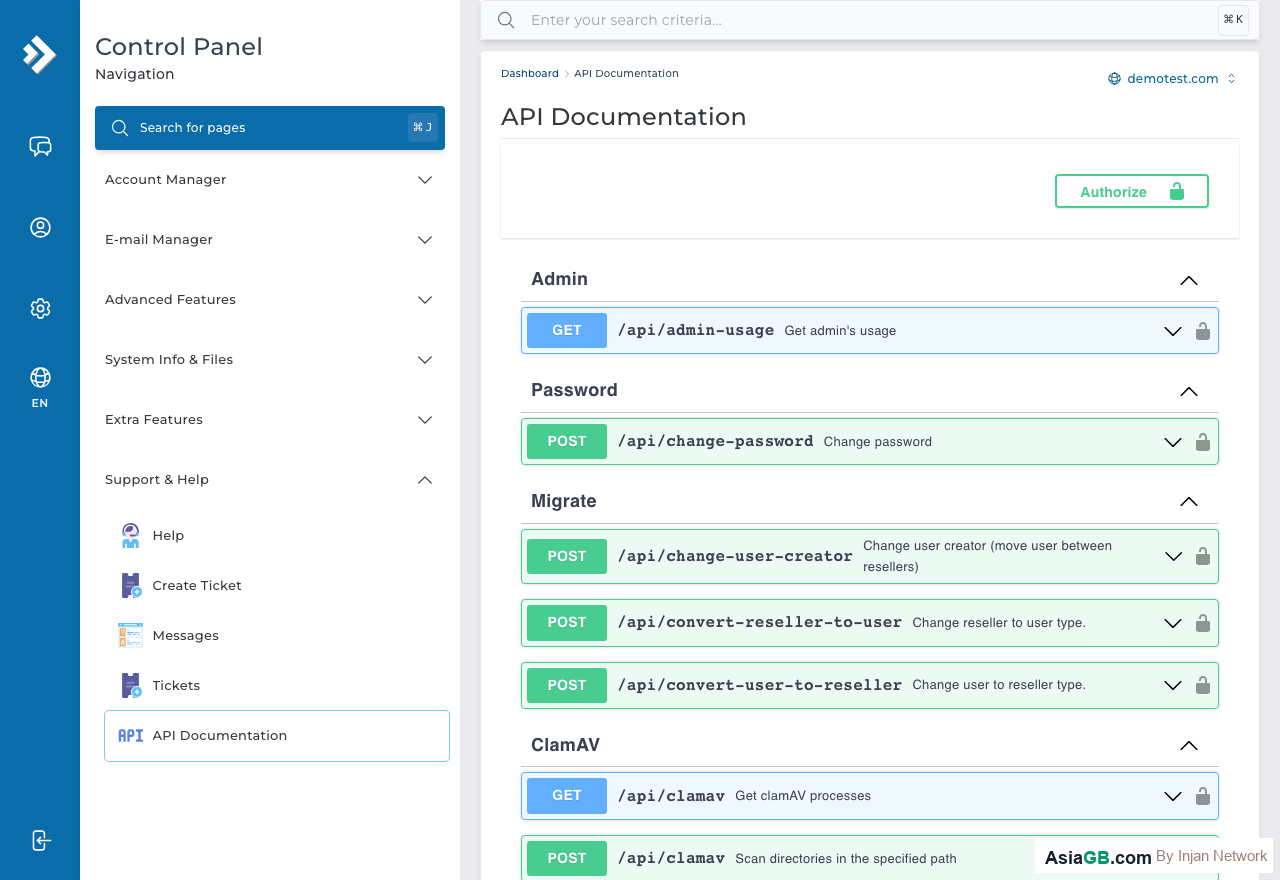
DirectAdmin is not only a control panel you click through — it also exposes an API that lets developers issue every command via HTTP requests, from creating domains and email to managing DNS. It is ideal for automation and for connecting DirectAdmin to your own systems. This guide covers the fundamentals you need before you start writing code that calls the API.
What the DirectAdmin API Can Do
The DirectAdmin API mirrors almost every function available in the panel as a command callable from code. The real benefit is automating repetitive work — a script that creates many mailboxes for new staff at once, a system that issues subdomains to customers automatically, or a provisioning tool that sets up an entire new site in a single command. Tasks that normally take dozens of clicks in the panel can be done in one script.
Authentication: Login Keys Are Safer Than Passwords
The DirectAdmin API supports Basic Authentication. The basic format is:
https://username:[email protected]:2222/CMD_API_ENDPOINT
But embedding your account's main password in a script is risky — if the code leaks, the password used for everything leaks with it. The safer way is to create a Login Key from Advanced Features → Login Keys, where you can define which commands the key may call and revoke it instantly without affecting your main password. Use the Login Key in place of the password when calling the API.
Common API Endpoints
CMD_API_SHOW_DOMAINS— list all domains in the accountCMD_API_DOMAIN— create or delete a domainCMD_API_POP— manage email accountsCMD_API_DATABASES— manage MySQL databasesCMD_API_SUBDOMAINS— manage subdomainsCMD_API_DNS_CONTROL— manage DNS records
cURL Example: List Domains
A basic cURL command to retrieve all domain names — the result comes back as a URL-encoded query string you can parse further:
curl -u "username:password" "https://yourdomain.com:2222/CMD_API_SHOW_DOMAINS"
PHP Example: Create an Email Account
Use cURL in PHP to send a POST request that creates a mailbox:
$ch = curl_init();
curl_setopt($ch, CURLOPT_URL, 'https://yourdomain.com:2222/CMD_API_POP');
curl_setopt($ch, CURLOPT_POST, 1);
curl_setopt($ch, CURLOPT_POSTFIELDS, 'action=create&domain=yourdomain.com&user=newuser&passwd=secret123"a=500');
curl_setopt($ch, CURLOPT_USERPWD, 'da_user:da_login_key');
$result = curl_exec($ch);
Always check the API response for error=1 to catch failed commands, rather than assuming every call succeeds.
Security Precautions
The API runs on port 2222 over HTTPS — never call it over plain HTTP, as your credentials would be sent unencrypted. Do not embed a Login Key in client-side code or JavaScript that users can see; keep it in a server-side configuration file that is not reachable from outside, and limit each Login Key to only the commands it genuinely needs.
API Documentation: The full list of endpoints, required parameters, and response formats is in the official documentation at docs.directadmin.com/api. Refer to the documentation matching the DirectAdmin version your server runs.
Frequently Asked Questions
Do I need to be a developer to use the API?
Yes — the API is for those who can write scripts. For general website management, the DirectAdmin control panel is enough.
How does a Login Key differ from a password?
A Login Key is a purpose-specific key with limited scope that can be revoked without changing your main password, making it safer for use in scripts.
What port does the API use?
Port 2222 over HTTPS — the same as the DirectAdmin control panel.
What the DirectAdmin API Can Do: Real-World Use Cases
The DirectAdmin API exposes virtually every function available in the control panel as an HTTP-callable command. This means any repetitive task you do in the panel can be scripted, scheduled, and automated. Here are the most common real-world applications:
- Automated hosting provisioning — when a customer completes a purchase in your billing system, a script calls the API to create the hosting account, set up the domain, and configure email automatically — no manual intervention required.
- Reseller management at scale — resellers with dozens or hundreds of customer accounts use API scripts to manage all accounts from a single dashboard, rather than logging into each account separately.
- Bulk email account creation — onboarding a new team or department? A script calling
CMD_API_POPcreates all mailboxes in seconds. The same applies to bulk deletion during offboarding. - DNS automation — internal DevOps tools use the API to add or update DNS records programmatically as part of deployment pipelines, ensuring DNS changes happen consistently alongside code deployments.
- Scheduled backups — nightly cron jobs call the API to trigger backups for each customer account and transfer them to remote storage without manual intervention.
- Monitoring and reporting — scripts periodically query disk usage and bandwidth data across all accounts, then generate usage reports or trigger alerts when accounts approach their limits.
The API uses a simple REST-like HTTP model — not GraphQL or a complex SDK — so any programming language capable of sending HTTP requests works: PHP, Python, Node.js, Go, Ruby, or even a basic shell script with cURL.
Creating API Keys via Login Keys: Scope and Expiry
Before writing a single line of API code, you should create a dedicated Login Key. Using your main account password in scripts is a significant security risk: if the script or its configuration file is ever exposed, your entire hosting account is compromised. Login Keys give you fine-grained control over what each script can do and can be revoked instantly if needed.
How to Create a Login Key
- Log in to DirectAdmin and navigate to Advanced Features > Login Keys.
- Click Create Login Key.
- Enter a descriptive name that identifies the script or service that will use this key, such as
billing-provisionerordns-automation. - Under Allowed Commands, select only the API endpoints this key needs to call. A key used only for creating email accounts should have access to
CMD_API_POPand nothing else. - Set an Expiry Date. Keys that never expire are a long-term risk. Setting an expiry forces periodic rotation. One year is a reasonable default.
- Optionally, restrict the key to specific IP addresses if your script runs from a server with a static IP. This adds a network-level barrier even if the key is leaked.
- Click Save and copy the key immediately — DirectAdmin will not show it again after you leave the page.
Once created, substitute the Login Key for the password in Basic Authentication. Your API call URL format becomes: https://username:[email protected]:2222/CMD_API_ENDPOINT. The key grants access only to the endpoints you permitted, nothing more.
More cURL Examples: Check Quota, List Domains, Add DNS
Beyond the basic domain list and email creation examples, here are additional cURL commands for tasks developers commonly automate:
List all email accounts for a domain
curl -u "username:login_key" "https://yourdomain.com:2222/CMD_API_POP?action=list&domain=yourdomain.com"
List all domains in the account
curl -u "username:login_key" "https://yourdomain.com:2222/CMD_API_SHOW_DOMAINS"
Check disk usage for all users (reseller level)
curl -u "reseller_user:login_key" "https://yourdomain.com:2222/CMD_API_SHOW_USERS"
Add a DNS A record
curl -u "username:login_key" -X POST "https://yourdomain.com:2222/CMD_API_DNS_CONTROL" \
  -d "action=add&domain=yourdomain.com&type=A&name=subdomain&value=1.2.3.4&ttl=300"
Delete an email account
curl -u "username:login_key" -X POST "https://yourdomain.com:2222/CMD_API_POP" \
  -d "action=delete&domain=yourdomain.com&user=olduser"
API responses come back as URL-encoded key-value strings. A successful call returns something like error=0&text=Done. A failed call returns error=1&text=Description of error. Always parse the error field in your code rather than assuming success.
Security Best Practices: IP Whitelisting, Key Rotation, and Least Privilege
Using HTTPS is necessary but not sufficient for API security. Production environments require additional safeguards to minimize the impact of a compromised key or an insecure deployment.
Restrict Login Keys by IP Address
When creating a Login Key, DirectAdmin allows you to specify which IP addresses may use that key. If your API script runs on a server with a fixed IP, always set this restriction. A leaked key becomes worthless to an attacker who is not calling from the whitelisted IP range. Even for scripts that run locally during development, restricting to your office IP adds meaningful protection.
Rotate Keys Regularly
Treat API keys like passwords: rotate them periodically and immediately whenever a team member with access to the key leaves the organization. The process is straightforward — create a new key, update the configuration in all scripts that use it, verify everything still works, then revoke the old key. Setting a short expiry (three to six months) forces this discipline automatically.
Apply the Least-Privilege Principle
Each Login Key should have the minimum permissions needed for its specific purpose. A provisioning script that only creates email accounts does not need permission to delete domains or modify DNS. Restricting permissions limits the blast radius if a key is compromised. Key capabilities that would cause irreversible damage — such as deleting accounts or purging databases — should be granted only to keys used interactively, not to automated scripts.
- Never commit Login Keys to version control — not even to private repositories. Use environment variables or encrypted secrets management instead.
- Store keys outside the web root — configuration files containing API keys should never be in a directory served by the web server.
- Monitor API access logs — DirectAdmin logs API requests. Review logs periodically for calls from unexpected IPs or to endpoints a script should not be using.
- Use separate keys per environment — development, staging, and production should each use different Login Keys with different permissions. This prevents a leaked development key from affecting production.
Treating API access with the same rigor as account password security ensures that automation capabilities do not introduce new attack vectors into your hosting environment.
Need Hosting with Full API Access?
AsiaGB Hosting supports the full DirectAdmin API — ideal for developers and businesses.
View Hosting Plans